


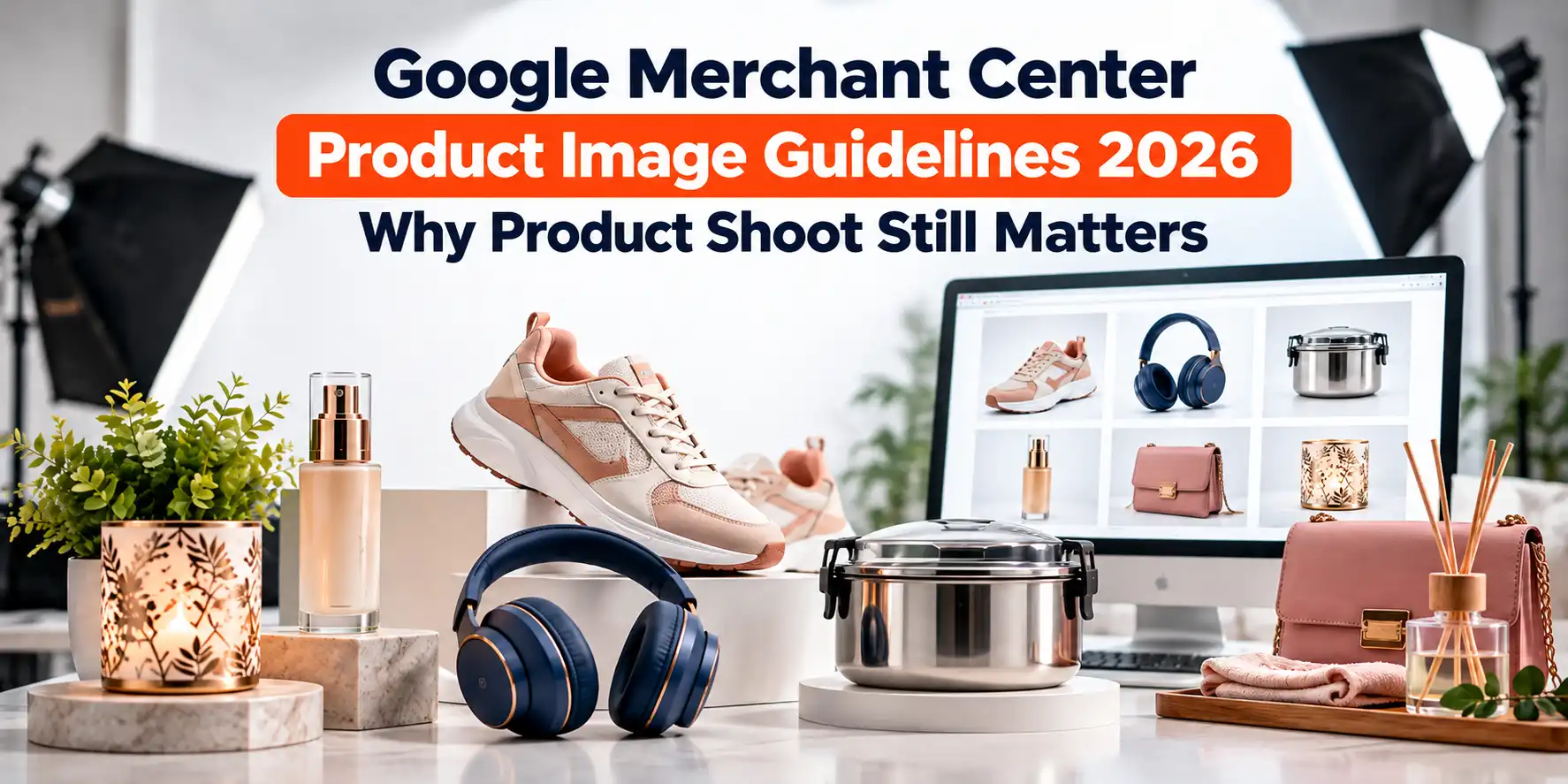
Google has quietly raised the bar for product photos. Warnings for small images started in April 2026, and from 31 January 2027, any product image below the new minimum size will be disapproved. If your catalogue still runs on old phone photos or supplier thumbnails, your products can lose visibility in Shopping ads and free listings.
This guide explains the current Google Merchant Center product image guidelines. These exact numbers matter, what gets images rejected, and why a proper product shoot is still the most reliable way to pass the rules and earn the click.
What Does Google Merchant Center Require for Product Images?
- Minimum size: 500 x 500 px for every product image from 31 January 2027. Until then, the older minimums apply: 100 x 100 px for non-apparel and 250 x 250 px for apparel.
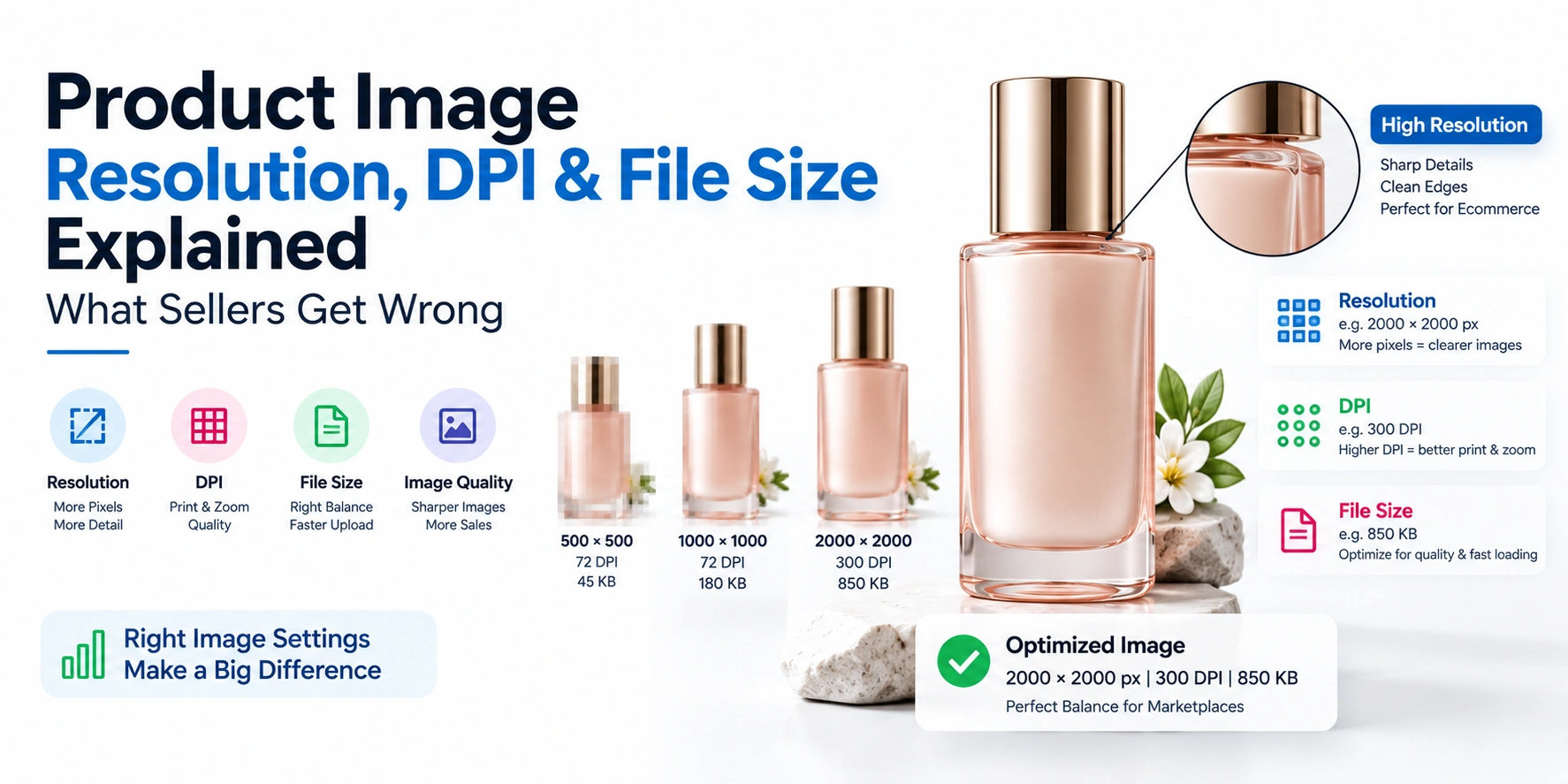
- Recommended size: around 1500 x 1500 px or larger.
- Limits: under 64 megapixels and 16 MB per file.
- Framing: the product should fill roughly 75% to 90% of the frame.
- Main image: the real product, clearly visible, with minimal staging. No watermarks, logos, promotional text, borders, or placeholders.
- Extra images: up to 10 additional images, including lifestyle and in-use shots.
What Changed in Google Merchant Center Image Requirements in 2026
Google's 2026 product data specification update increased the minimum resolution for the image link and additional image link attributes to 500 x 500 pixels across all product categories and marketing methods. Google began showing warnings in Merchant Center on 14 April 2026, and enforcement starts on 31 January 2027.
Two details are worth knowing:
- Google may "fix" small images for you. For some images under 500 x 500, Merchant Center can substitute a near-identical higher-resolution version or upscale the original using AI. These images are flagged in the Needs Attention section, and you can replace them by submitting a new image above 500 x 500.
- The old minimums still apply until the deadline. Passing today's 100 x 100 or 250 x 250 limit is not the same as being ready for 2027, and it is certainly not the same as having a competitive image.
Google Merchant Center Image Requirements at a Glance
|
Requirement |
What Google expects |
|---|---|
|
Minimum size (from 31 Jan 2027) |
500 x 500 px, main and additional images |
|
Minimum size (until then) |
100 x 100 px non-apparel, 250 x 250 px apparel |
|
Recommended size |
About 1500 x 1500 px or larger |
|
Maximum size |
64 megapixels, 16 MB file |
|
Product framing |
75% to 90% of the full image |
|
Main image content |
Accurate, actual product, minimal or no staging |
|
Not allowed |
Placeholders, generic images, thumbnails, scaled-up images, watermarks, promotional overlays |
|
Additional images |
Up to 10, staging and in-use views allowed |
|
Image URL |
Public, stable, crawlable, returns a normal page load without login |
Best Image Size for Google Merchant Center Products
The honest answer has three layers:
- The minimum is what keeps a product from being disapproved: 500 x 500 px from 2027.
- The recommendation is what gives you a sharp listing on large screens and zoom: around 1500 x 1500 px or more.
- The shape that works most cleanly is square (1:1), because Shopping slots crop to a square-like frame and a square source avoids surprise cropping.
Shoot at the highest resolution your camera allows, then export a square version at 1500 px or above. It is far easier to scale a sharp large file down than to rescue a small one. Google specifically says not to scale up an image or submit a thumbnail.
.webp)
Best Fashion Photographer in Delhi
Your fashion images are doing a job — selling a product, building a portfolio, running a campaign. If they are not doing tha...
Explore Best Fashion Photographer in DelhiWhat Google Merchant Center Rejects: Low Image Quality and Other Image Issues
Yes, Google Merchant Center can stop products from showing because of poor-quality images. The "Low image quality [image_link]" issue means the main image failed minimum requirements or is distracting. Affected products can be prevented from appearing in ads and free listings until the image improves.
The most common image problems are:
- Too small or blurry: the product is unclear, pixelated or out of focus.
- Watermarks and logos added on top of the product: a brand mark that is physically part of the product is fine, an overlay is not.
- Promotional text: words like "Sale" or "Free Shipping", price stickers and badges.
- Decorative borders, frames, and heavy effects.
- Placeholders and generic graphics: silhouettes, "coming soon" images, category illustrations.
- Distracting or very dark backgrounds that take attention away from the product.
- Broken or blocked image URLs.
Google's own guidance on this issue adds an important line: high image quality is strongly correlated with user engagement and clicks. In other words, the rule exists because better images perform better, not only because Google likes tidy feeds.
A practical tip: if you replace an image but keep the same URL, Google can take up to six weeks to detect and recrawl it. Change the file name and URL when you update a product image.
Main Image vs Additional Images vs Lifestyle Images
Google treats the image slots differently, so plan them separately.
Main image (image link). This is the one shoppers see in results. It must show the actual product accurately with minimal staging. Google does not demand a pure-white background the way Amazon does, but a clean, neutral background is the safest choice and keeps the product dominant. If you sell a bundle, show the whole bundle.
Additional images (additional image link). You can submit up to 10. They follow the main image rules except that staging, in-use views, and lifestyle scenes are allowed. Good uses: other angles, close-ups of material and texture, scale reference, packaging, and the product in real use.
Lifestyle image link. An optional attribute meant for lifestyle imagery on browse-style surfaces. If you have a styled shot, this is the right home for it.
Why Image Quality Still Matters for Product Sales, Clicks and Trust
A Shopping listing is mostly a picture with a price underneath. Before a shopper reads your title or compares prices, the image has already decided whether they pause.
Clicks. Google itself links high image quality to engagement and clicks. In a crowded results grid, a sharp, well-lit, correctly framed product stands out against dull or cluttered neighbours.
.webp)
Model Photography in Delhi
Two very different people search for "model photography in Delhi." One is a model — someone building a portfolio to sub...
Explore Model Photography in DelhiSales and trust. Baymard Institute research, as summarised in industry write-ups, reports that a majority of shoppers start a product page by looking at the images, and a large share try to judge the size of the product from photos alone. When photos cannot answer "what does it really look like and how big is it," shoppers leave. Amazon's ads team has also reported that lifestyle imagery lifted click-through noticeably in one mobile ad format, which supports the idea of pairing a clean main image with in-context shots (note: that figure is for one ad format, not every channel).
Fewer surprises after the sale. Accurate colour, texture and scale reduce the gap between expectation and delivery, which is where most image-driven disappointment comes from.
Competitive separation. Many sellers upload the same manufacturer images. Your own photography gives you a distinct, consistent look across the catalogue.
A caution on statistics: you will see claims like "good images raise conversion by 30%" across the web. Original studies for many of these numbers are hard to find, so treat them as directional rather than guaranteed.
Can AI Tools or Upscaling Replace a Product Shoot?
Google's Product Studio can remove distracting backgrounds, improve resolution, and generate new scenes, and Merchant Center can upscale some undersized images automatically. These are useful for fixing gaps in a large catalogue.
But they work on what already exists. They cannot invent real detail, correct a badly lit colour, fix severe motion blur, or show how a fabric truly falls. An upscaled blurry image is still a blurry image, only bigger. The AI route is a patch. A shoot is the foundation.
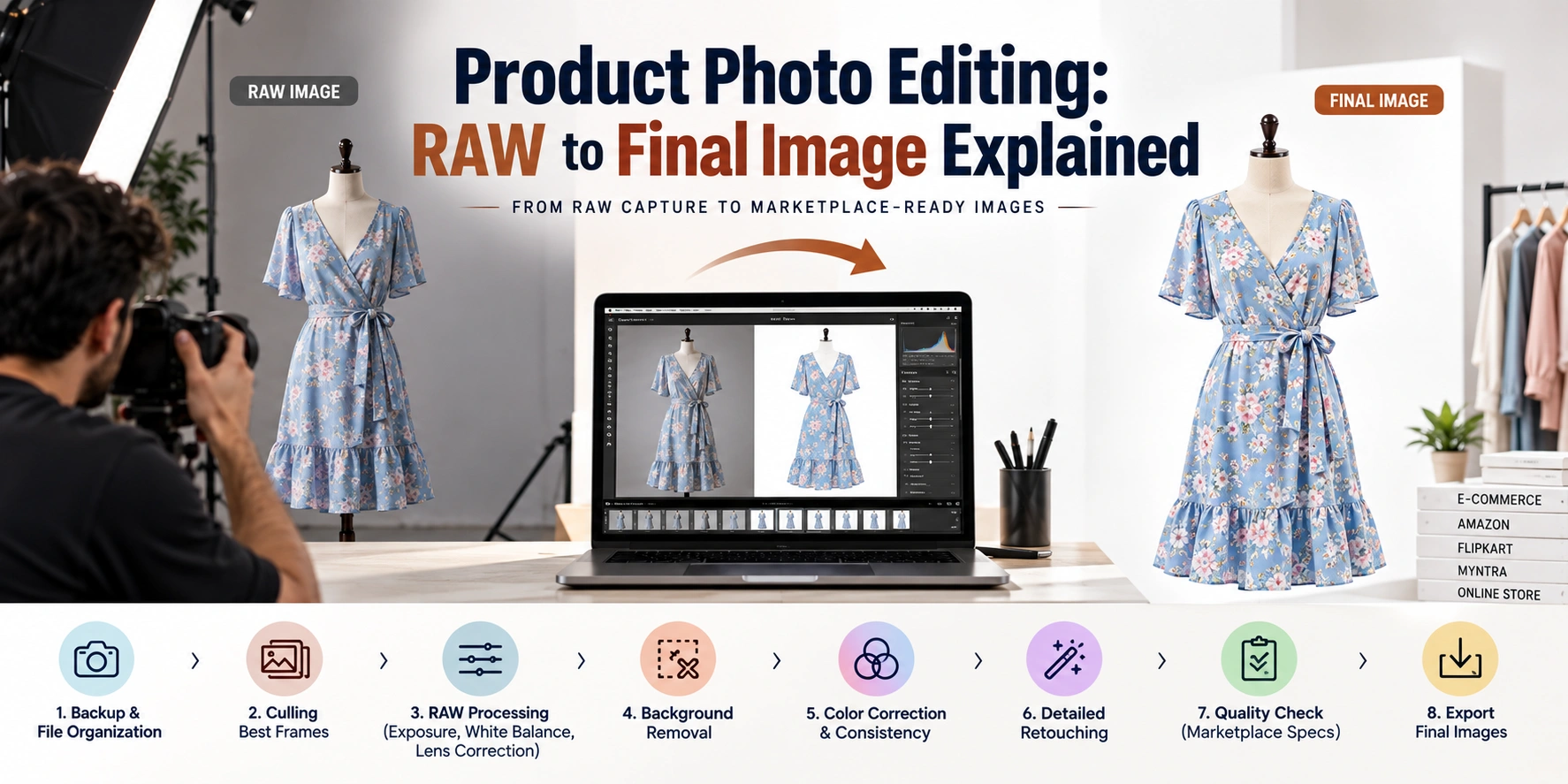
The best approach for most brands is a hybrid: shoot the hero images properly, then use editing tools to produce crops, backgrounds, and seasonal variations.
How to Improve Product Images for Google Shopping: A Practical Checklist
- Audit first. In Merchant Center, filter for image-related issues and download the affected product list. Start with best-sellers.
- Shoot sharp and high-resolution. Use proper lighting and a tripod. Keep focus on the key detail.
- Frame correctly. Product at 75% to 90% of the frame, centred, with breathing room and no cropping of edges.
- Keep the main image clean. No text, logos, badges, borders, or watermarks added in editing.
- Show every item in a bundle.
- Build the gallery. Add front, back, side, detail, scale, packaging, and in-use images, up to the 10 additional slots.
- Match colour to reality. Calibrate white balance and check the final file against the physical product.
- Export square at 1500 px or larger. JPEG or PNG are safe choices.
- Use stable, descriptive URLs. For example,
mens-black-leather-wallet-front.jpg. Never block Google's image crawler. - Use new file names when updating, so Google picks up changes faster.
- Keep website and feed consistent. The product page image and the feed image should show the same product, and the same variant.
- Re-check after publishing. Confirm the issue clears in the Needs Attention report.
Google Merchant Center vs Marketplace Image Rules
Many Indian sellers shoot once for several platforms. The rules overlap but are not identical.
|
Point |
Google Merchant Center |
Amazon (main image) |
|---|---|---|
|
Background |
Clean, minimal staging; pure white is not mandatory |
Pure white (RGB 255, 255, 255) |
|
Product fill |
75% to 90% of frame |
At least 85% of frame |
|
Text, logos, watermarks |
Not allowed on main image |
Not allowed on main image |
|
Extra images |
Up to 10, lifestyle allowed |
Around six recommended |
|
Size |
500 x 500 px minimum from 2027, ~1500 px recommended |
1000 px or more recommended for zoom |
The practical takeaway: a white-background hero shot that fills about 85% of a square frame satisfies both. Then add lifestyle and detail shots for Google's additional image slots and your own website.
Amazon Product Photography in Delhi
Sanjay Babu Lohar, founder of Lohar Studio Delhi, has been photographing products for Amazon sellers since 2009 — over 15 ye...
Explore Amazon Product Photography in DelhiWhat to Brief Your Photographer Before a Google Shopping Shoot
If you are hiring a studio, give a clear brief:
- A list of SKUs, variants, and the platforms where the images will be used.
- The shot list for each product: main, angles, detail, scale, lifestyle.
- Output requirements: square crops, 1500 px or larger, consistent naming.
- Reference products and brand colours for accuracy.
- Whether you need both clean marketplace images and styled brand images from the same session.
Shooting everything in one planned session is usually faster and more consistent than reshooting piecemeal later.
Frequently Asked Questions
1. What are the Google Merchant Center image requirements?
Google requires an accurate, clear product image with no watermarks, overlays or placeholders. The size must be at least 500 x 500 px from 31 January 2027 (100 x 100 for non-apparel and 250 x 250 for apparel until then), under 64 megapixels and 16 MB. The product should fill about 75% to 90% of the frame.
2. What is the best image size for Google Merchant Center products?
Use a square image of around 1500 x 1500 px or larger. The 500 x 500 px figure is only the minimum. Larger, sharp files display better and zoom better, and you can always scale down, but you cannot add detail to a small file.
3. Does Google Merchant Center reject poor-quality images?
Yes. Products with a low-quality main image can be flagged with the "Low image quality [image_link]" issue and may be prevented from showing in ads and free listings until the image is improved. Blur, tiny size, watermarks and distracting backgrounds are the usual causes.
4. When does the 500 x 500 image rule become mandatory?
Enforcement starts on 31 January 2027. Google began showing warnings for smaller images on 14 April 2026. Until enforcement, the older minimums still apply, but it is safest to update your images now.
5. Do I need a white background for Google Shopping images?
Flipkart Photography in Delhi
Sanjay Babu Lohar, founder of Lohar Studio Delhi, has been creating product images for e-commerce sellers since 2009 — over...
Explore Flipkart Photography in DelhiNot necessarily. Google does not require a pure-white background the way Amazon does. The main image must show the real product clearly with minimal staging, and a clean, neutral background is the safest option. Lifestyle scenes belong in additional images.
6. Can I add a logo, watermark, or sale text to my product image?
No, not on the main image. Watermarks, promotional text, price stickers, badges, and decorative borders can lead to disapproval. A brand mark that is physically printed on the product itself is acceptable.
7. How many product images can I add in Google Merchant Center?
One main image plus up to 10 additional images per product. Use the extra slots for angles, close-ups, scale, packaging, and the product in use.
8. How do I fix the "Low image quality" issue in Merchant Center?
Go to Products, open the Needs Attention tab, and filter by the low image quality issue. Replace the affected images with higher-quality ones that meet size rules and remove watermarks or distracting backgrounds, save the change, and confirm the issue disappears from the list.
9. Can I use a lifestyle image as my main product image?
It is risky. The main image should show the product accurately with minimal or no staging. Put styled and in-use scenes in additional images or the lifestyle image attribute instead.
10. Does image quality really affect Google Shopping clicks and sales?
Google states that high image quality is strongly correlated with engagement and clicks. Shoppers rely heavily on photos to judge appearance and size, so sharper, accurate, consistent images generally earn more clicks and build more trust. The exact lift varies by category, so test and measure on your own listings.
Conclusion: Treat Product Photography as Part of Your Feed
Google's image rules are not just compliance trivia. The 2027 minimum, the 75% to 90% framing guideline, and the strict ban on overlays all push toward the same thing: clear, honest, high-resolution product photos. Tools can patch gaps, but a planned product shoot gets the framing, lighting, colour accuracy and gallery depth right the first time, and the same photos work across Google, marketplaces and your website.
If your catalogue needs a refresh before the January 2027 enforcement, talk to Lohar Studio about a product shoot built for Google Shopping and marketplace listings.
If you're looking to enhance your brand’s presence on leading e-commerce platforms like Amazon, Flipkart, Myntra, Meesho, TataCliQ, Snapdeal, and Ajio, Lohar Studio is your go-to destination. Our team specializes in delivering high-quality images for fashion items, footwear, automotive products, medical photography, business headshots, and corporate shoots. We serve Delhi, Noida, Gurgaon, Faridabad, and Ghaziabad, offering professional results that boost conversions and elevate your brand’s image. Get in touch today at +91 9312070458 or visit us at A1/58, 1st Floor, Sector 6 Rd, Pocket 1, Sector 6A, Rohini, Delhi, 110085, to schedule your next shoot!

Written from hands-on experience shooting for 4000+ brands - practical, field-tested photography advice, not just theory.