


If you sell products online, the number of photos in your listing matters because customers need enough visual information to understand the product before buying. However, the ideal number of images depends on the marketplace, product category, complexity, available listing slots, and the questions a buyer needs answered.
As a practical starting point, plan 5–8 product photos for a straightforward ecommerce listing and 8–12 for products that need more detailed explanations. Fashion, jewellery, furniture and technical products may require additional views. These are photography recommendations, not universal marketplace rules.
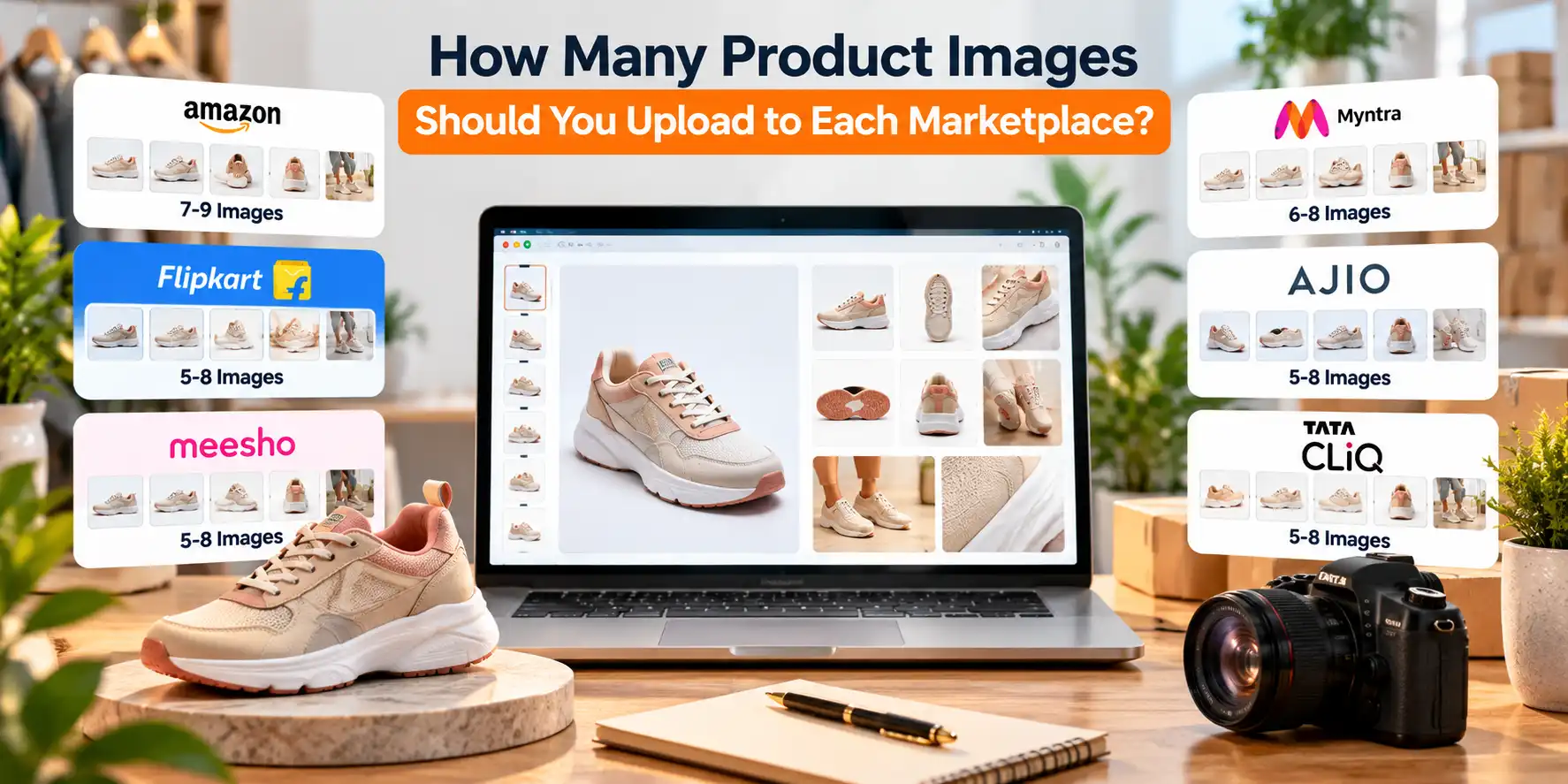
Amazon explicitly recommends at least six additional images alongside the main image, while Etsy allows up to 20 photos per listing. Other marketplaces, including Flipkart, Meesho, Myntra, AJIO, Tata CLiQ, and Nykaa, have their own listing workflows and category-dependent specifications.
This guide explains how many product photos you should prepare, what each image should communicate, and how to plan one photoshoot for multiple online marketplaces.
How many product photos do you need for online selling?
For most products, five to eight carefully planned images are a sensible starting point. The objective is not to fill every available image slot. The goal is to show the product clearly, explain key features, demonstrate its use where appropriate, and help customers understand its size, material, and included accessories.
Use this initial planning guide:
|
Listing type |
Suggested image count |
Main objective |
|---|---|---|
|
Simple, low-complexity products |
4–6 |
Show appearance, angles, and essential details |
|
Standard ecommerce products |
5–8 |
Cover appearance, features, scale and usage |
|
Apparel and footwear |
6–10 |
Show fit, shape, construction and details |
|
Jewellery and cosmetics |
6–10 |
Communicate finish, texture, colour and scale |
|
Electronics and technical products |
7–10 |
Explain controls, ports, accessories and dimensions |
|
Furniture and large products |
8–12 |
Show proportions, construction, materials and context |
|
Complex or premium products |
8–12 or more |
Address more buying questions and product variations |
All counts in this table are editorial recommendations for planning a shoot, not mandatory marketplace minimums or maximums.
A product with a simple shape may be adequately explained through five distinct images. For example, a pair of running shoes benefits from side, front, rear, sole, material-detail, and on-foot views. A storage appliance may need photographs of its controls, dimensions, included accessories, and operation.
The correct image count is the number needed to communicate the product accurately without making the gallery repetitive.
Marketplace-wise product image requirements at a glance
The following table separates documented requirements from recommended shoot counts. A marketplace may accept fewer images than the number you should ideally prepare.
|
Marketplace |
Documented requirement or limit |
Recommended image set |
|---|---|---|
|
Amazon |
At least 1 image; at least 6 additional images and 1 video recommended by Amazon. |
6–7 images |
|
Flipkart |
Third-party integration guide reports at least 2 images, with 3 preferred. |
5–7 images |
|
Meesho |
Public supplier guidance recommends multiple images; a universal numerical minimum was not verified. |
4–6 images |
|
Myntra |
Current public seller-specific image-count limit not independently verified. |
6–10 images for fashion |
|
AJIO |
Third-party integration guide reports 1–14 images. |
6–10 images for fashion |
|
Tata CLiQ |
Third-party integration guide reports 1–20 images, varying by category. |
5–8 images |
|
Etsy |
Up to 20 photos per listing. At least 1 unedited photo of the actual item is required for most products. |
6–10 images |
|
Nykaa |
Third-party integration guide reports a minimum of 5 images from different angles. |
5–8 images |
Amazon's recommendation is explicit, and Etsy's photo allowance is documented in its official listing help. Figures for Flipkart, AJIO, Tata CLiQ, and Nykaa come from third-party integration documentation, not independently verified current seller-panel policies. The Myntra count remains unverified.
Treat the recommended counts as starting points. Before a production shoot, confirm the current image-upload fields and category rules in the relevant seller portal.
1. How many product photos do you need for Amazon?
Amazon requires at least one compliant product image and recommends uploading at least six additional images and one video. That is a recommendation to provide a more complete product presentation, not a statement that every listing must contain seven photographs.
For planning, a seller can prepare six or seven distinct images for a typical product.
Recommended Amazon product image sequence
-
Main image: A clear view of the product against the required compliant background.
-
Alternative angle: Show the product from another useful perspective.
-
Feature detail: Highlight a material, component, finish, or construction detail.
-
Scale or dimensions: Communicate measurements accurately.
-
In-use or lifestyle image: Demonstrate the product in its intended setting, where permitted.
-
What's included: Show the actual components supplied with the purchase.
-
Additional feature image: Address a product-specific question not covered by the other shots.
The sequence should be adjusted to the product rather than followed mechanically. A garment needs front, back and fit coverage; a charger may need connector and compatibility details; a piece of jewellery may need close-ups of its finish and fastening. See our Amazon product photography page.
What should you know about Amazon's main image?
Amazon's main image has stricter requirements than secondary images. Its guidance requires the main image to present the product on a pure white background and prohibits various overlays and promotional elements. The product must be represented accurately, and images must meet the relevant technical and category requirements.
Do not assume that an infographic, lifestyle scene, or promotional graphic acceptable elsewhere can be used as the main image.
Practical recommendation: Plan the primary image separately from the rest of the gallery. Capture a clean, compliant hero image first, then create secondary photographs that explain features, usage, and scale.
For detailed Amazon-specific guidance, see Amazon guidelines 2026.
2. How many product photos do you need for Flipkart?
Flipkart's image requirements should be checked against the current seller listing template and product category. A third-party Fynd marketplace integration guide reports a minimum of two images, with three preferred, but this should not be treated as a verified universal rule for every current Flipkart category. See our Flipkart product photography page.
For production planning, prepare five to seven useful images where the product and listing format support them.
A practical Flipkart shot list
-
Main product view on the background specified by the applicable category guidelines.
-
A second angle showing shape and construction.
-
A close-up of important details.
-
A view of included accessories or components.
-
A dimensions or scale image where relevant.
-
A usage image if permitted and useful.
-
A further angle for any feature that remains unclear.
The background, file format, resolution, and allowed visual elements should be confirmed for the relevant category. The third-party guide, for example, describes white or light-grey backgrounds, JPEG files and a 1,000 × 1,000-pixel resolution guideline.
Avoid assuming that a single image set will work unchanged across every category. A footwear listing and a packaged grocery product have different visual requirements, even when the same marketplace is used. For detailed Flipkart-specific guidance, see Flipkart Listing Guidelines.
The main objective is to ensure that each photograph represents the actual item and adds useful information. Multiple nearly identical front views do not explain a product as well as a front view, a back view and a meaningful detail shot.
3. How many product photos do you need for Myntra?
Myntra's fashion-led catalogue makes it especially important to show garments and accessories consistently. The current public evidence reviewed provides image-format and presentation guidance through a third-party marketplace integration source, but it does not independently establish a universal image-count limit. See our Myntra product photography page.
For fashion production, plan six to ten images per style as a starting recommendation, subject to Myntra's current seller requirements.
Recommended Myntra fashion photography sequence
-
Front view of the garment on a model or using the approved presentation format.
-
Back view.
-
Side view or alternate pose.
-
Full-length view to show fit and silhouette.
-
Close-up of fabric, embroidery, print, or other defining details.
-
Sleeve, neckline, waistband, or other important construction detail.
-
Additional view showing drape or movement where relevant.
-
An additional approved angle or detail for styles with complex construction.
Not every garment needs eight separate images. A simple T-shirt may require fewer views than a heavily embroidered lehenga or a structured jacket. See our Myntra fashion photography page.
The third-party Myntra guidance describes a 3:4 aspect ratio, JPEG format and image dimensions of at least 1080 × 1440 pixels, alongside category-specific background guidance. For detailed Myntra-specific guidance, see Myntra Listing Guidelines.
Planning tip: Keep model styling, garment fit, framing, and lighting consistent across the catalogue. This creates a more coherent product range and makes it easier for customers to compare styles.
4. How many product photos do you need for AJIO?
AJIO's public integration documentation from Fynd reports a minimum of one image and a maximum of 14 images, with the image order configurable after upload. It also reports a requirement for images to exceed 1,000 pixels in both height and width. This is third-party documentation and should be confirmed against the current AJIO seller template.
For apparel and accessories, six to ten planned photographs can provide useful coverage without requiring every available slot.
What should an AJIO fashion shoot include?
-
A clear primary product view.
-
Front and back views.
-
A useful side or three-quarter angle.
-
Full-length styling or fit.
-
Close-ups of the fabric and finishing.
-
Distinctive design details, such as a collar, cuff, fastening, or embroidery.
-
Additional views for complex silhouettes or accessories.
The product determines the final number. A plain kurti may need a straightforward set of views, while a layered outfit may require additional photographs to explain the drape, fit, and construction.
Before shooting, confirm the required background, aspect ratio, model presentation, image order and any category-specific rules. Do not automatically reuse a Myntra export for AJIO without checking whether the required dimensions and visual standards match. See our Ajio product photography page.
5. How many product photos do you need for Tata CLiQ?
A third-party Tata CLiQ integration guide reports that listings may contain one to 20 images, with differences by category. It also describes a clean main image, accurate product presentation and image-quality specifications.
For general merchandise, plan five to eight distinct images as an initial recommendation.
A practical set includes:
-
Main product view.
-
Alternate angle.
-
Close-up of material or finish.
-
Dimensions or scale.
-
Included accessories or components.
-
Product in its intended environment, if appropriate.
-
A further feature detail.
-
Packaging or another useful view when it answers a genuine buying question.
For example, a stainless-steel storage container may need photographs showing its exterior, lid, interior, dimensions, finish and the actual items included in the set.
The same number will not be appropriate for every product. A simple accessory may be fully explained in five photographs, whereas a multi-component product needs more coverage.
The seller should confirm the applicable image count and file specifications in the current Tata CLiQ category template. The third-party source is useful for initial planning, not a substitute for the current marketplace rules.
See our TataCliq product photography page.
6. How many product photos do you need for Etsy?
Etsy allows sellers to add up to 20 photos and two short videos to a listing. Etsy also requires at least one unedited photograph of the actual item against a real background for most products, subject to the exceptions in its image policy.
A practical target is six to ten images, although handmade, personalised and made-to-order products may benefit from more detailed coverage.
Which Etsy listing photos are most useful?
-
Primary product photograph: The clearest representation of the item.
-
Alternate angle: Shows a different perspective.
-
Detail photograph: Communicates texture, finish, craftsmanship or materials.
-
Scale photograph: Shows the product in relation to a familiar object or person.
-
Lifestyle photograph: Places the item in its intended environment.
-
Personalisation example: Shows the actual customisation options where applicable.
-
Packaging photograph: Helps explain what will arrive, if packaging is relevant.
-
Variation photographs: Show different colours, finishes or styles that are actually available.
For handmade jewellery, a close-up and an on-model image may be especially useful. For a handmade lamp, buyers may need to see the dimensions, shade texture, base and appearance in a room.
Etsy's listing guidance recommends using accurate imagery, and its help documentation advises sellers to provide sufficiently large images for clear display. It also cautions against misleading edits that make an item appear different from what the buyer will receive.
Important: Do not treat Etsy's maximum of 20 photos as a target for every listing. Use the slots to answer genuine customer questions rather than to repeat the same composition.
See our Etsy product photography page.
7. How many product photos do you need for Nykaa?
A third-party Fynd marketplace integration guide reports that Nykaa requires a minimum of five images from different angles and describes a 3:4 aspect ratio and file-size specifications. The current Nykaa seller portal should be checked before relying on these figures for production.
For cosmetics and beauty products, prepare five to eight distinct photographs as a starting recommendation.
Recommended Nykaa beauty product shot list
-
Front-facing product and packaging.
-
Back or side view showing relevant packaging information.
-
Close-up of the applicator, dispenser or product texture where applicable.
-
Packaging or component details.
-
Shade, colour or finish representation when relevant and accurate.
-
Product scale or a view that clarifies the packaging size.
-
An additional useful detail for products with multiple components.
For a lipstick, the gallery might include the closed product, open lipstick, bullet close-up, packaging, shade swatch and a carefully controlled usage view if permitted.
For skincare, show the container, label, dispensing mechanism, and any meaningful packaging details. Do not invent product benefits or alter a product's actual colour to make it appear more appealing.
Nykaa's seller terms require accurate, non-misleading product content and compliance with applicable laws and platform requirements.
The correct number of photographs depends on the product, category, and currently approved listing format. See our Nykaa cosmetic photography page
What types of product images should you include?
A strong product gallery gives each image a purpose. Instead of deciding on a number first and filling the available slots afterwards, identify the questions a buyer is likely to ask.
1. Main or hero image
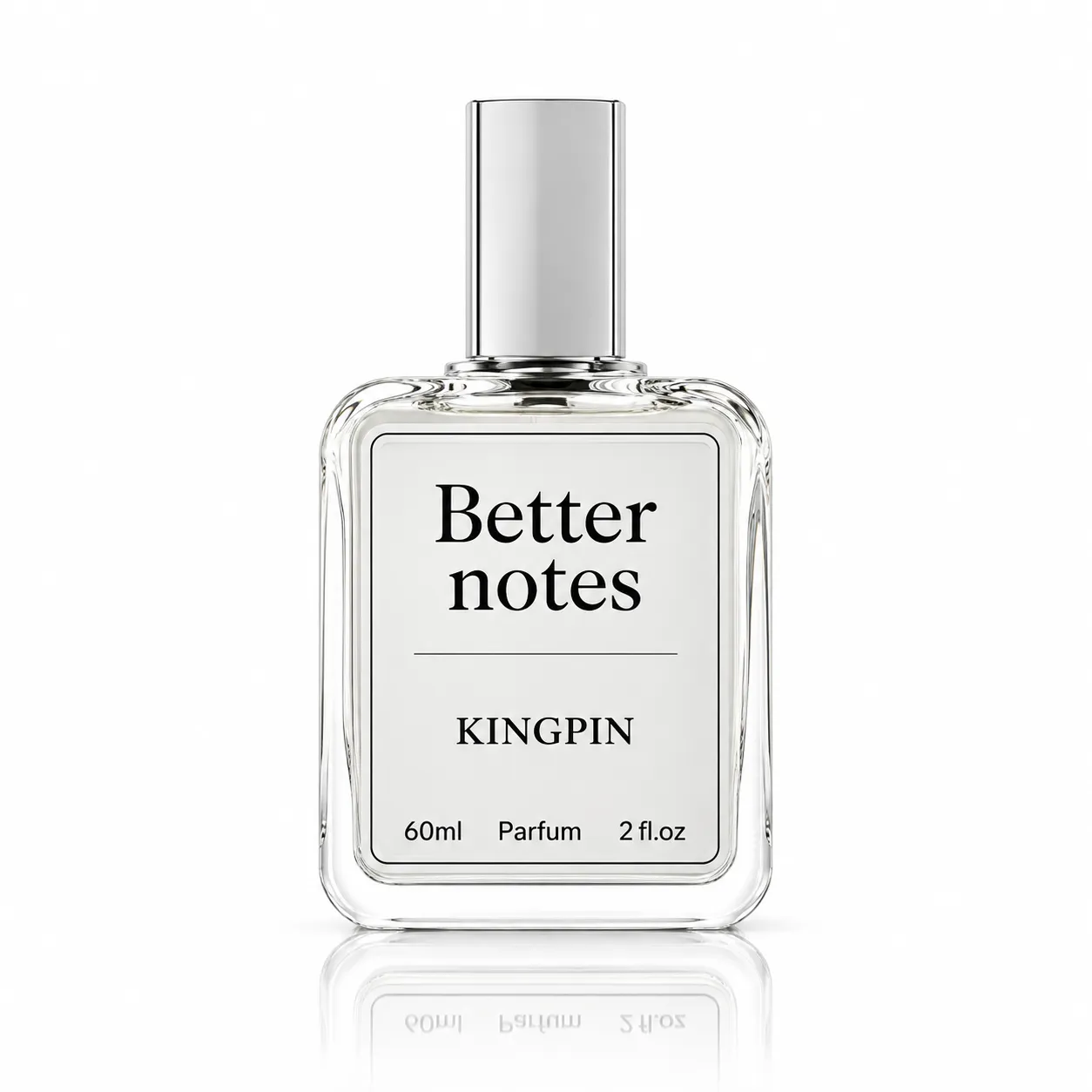
Establishes the product's identity. Keep it clear, accurately coloured, and compliant with the marketplace's main-image rules.
2. Alternate-angle image
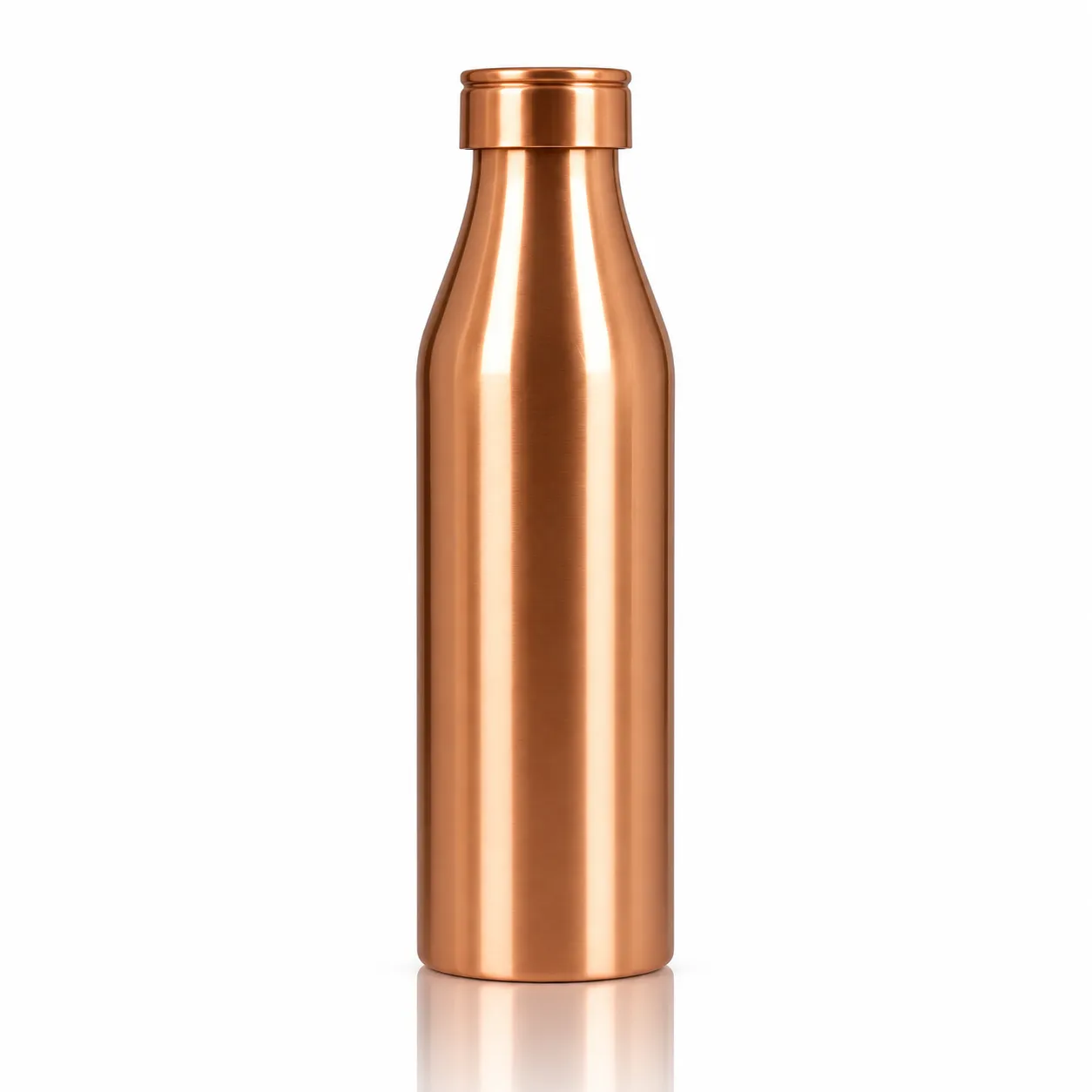
Shows shape, depth, sides, or rear details that cannot be understood from the primary view.
3. Detail or macro image
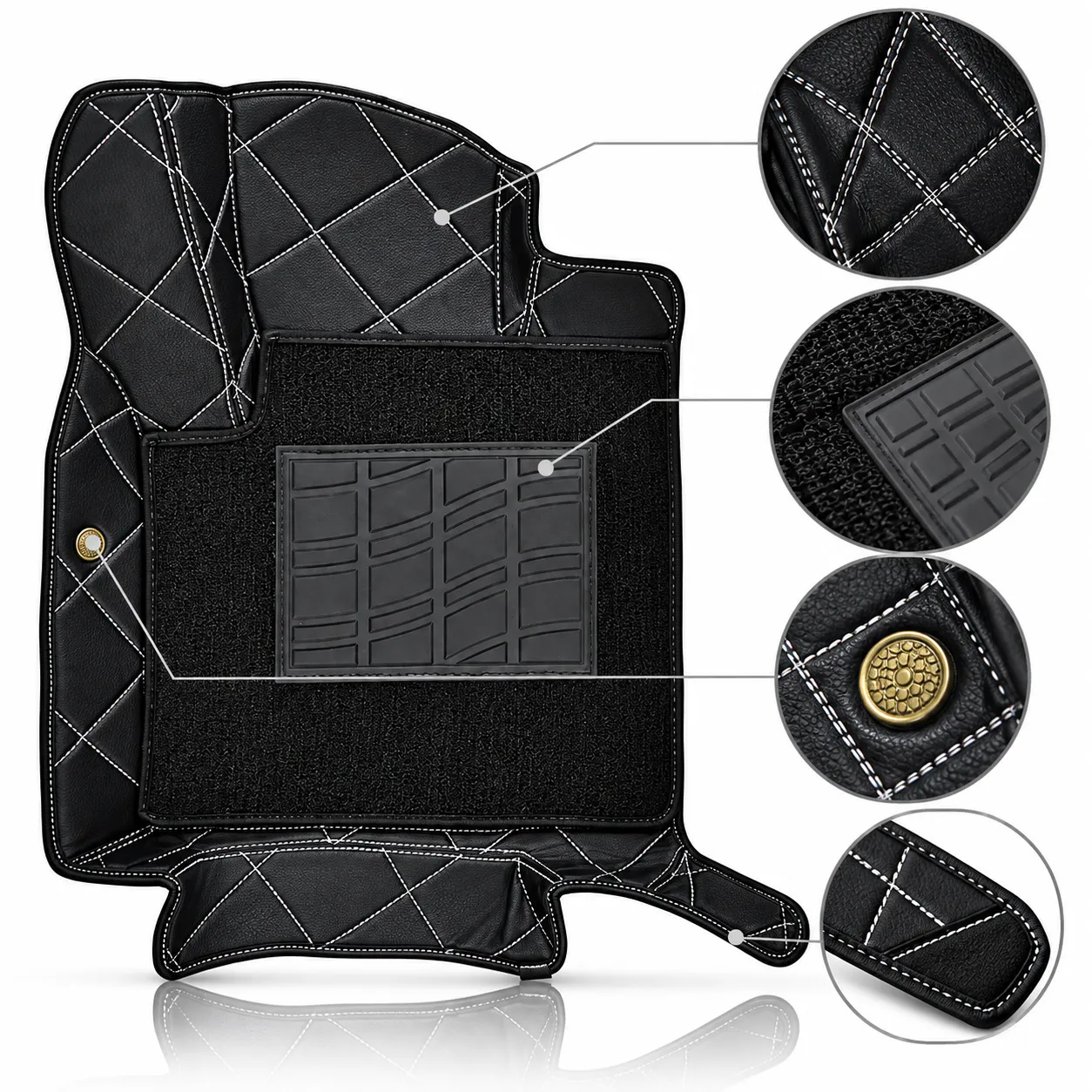
Makes stitching, surface texture, finish, connectors, closures and other small details easier to assess.
4. Size and scale image
Communicates dimensions and proportions. Use verified measurements and a sensible scale reference.
5. Lifestyle or in-use image
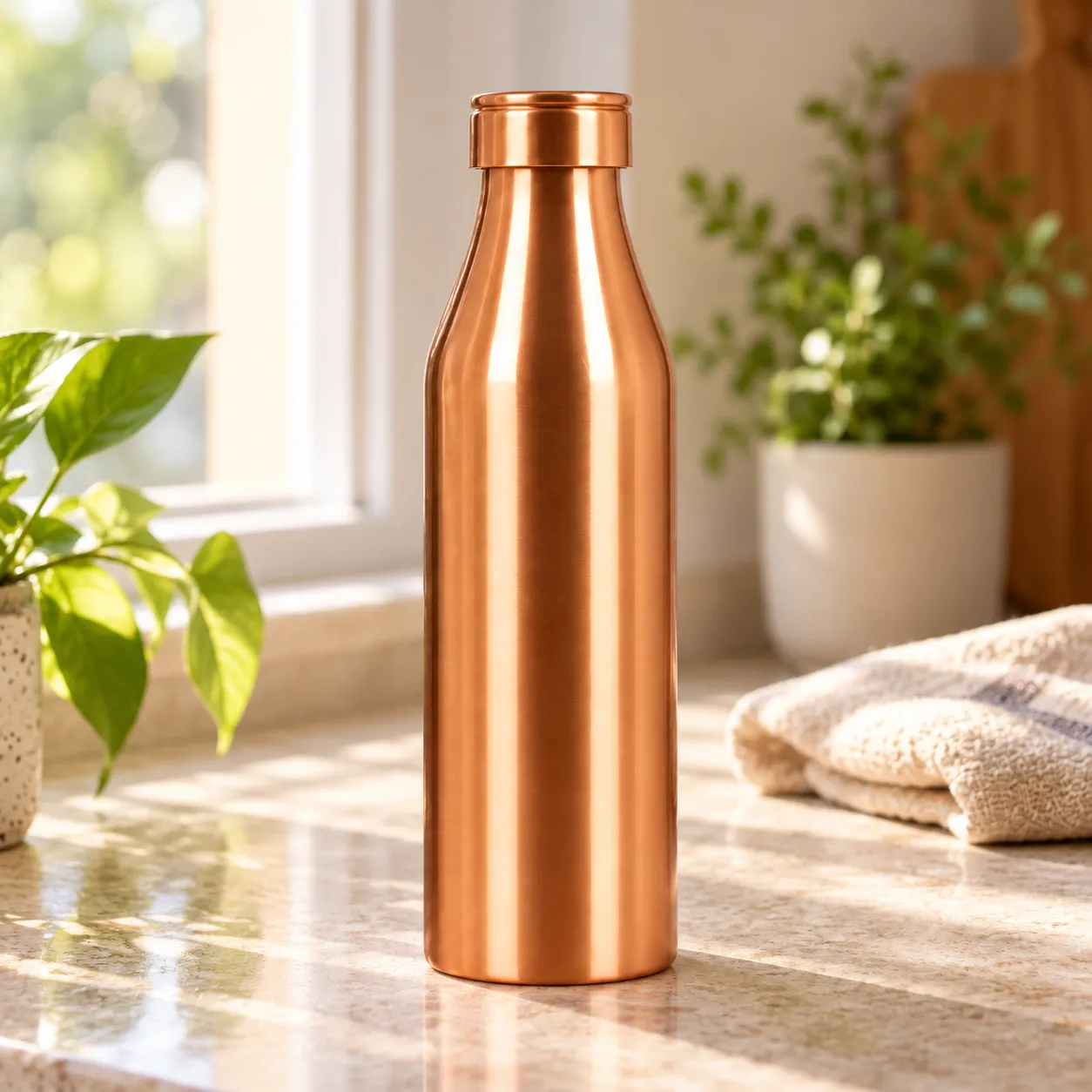
Shows the product in a realistic setting. Use it when context helps explain the product or its intended use, and when the marketplace permits it.
6. What's-in-the-box image
Shows the actual components included with the purchase and reduces ambiguity about what the buyer receives.
Additional image types can include colour variations, assembly steps, usage instructions, packaging, before-and-after demonstrations where truthful and permitted, and feature graphics where marketplace rules allow them.
Not every image type belongs in every gallery. A simple product may not need a lifestyle image, while a complex product may need several detail views.
How many photos should you plan for each product category?
The following table provides a practical production estimate for a standard listing. The counts are recommendations rather than platform-specific requirements.
|
Product category |
Suggested photos |
Essential coverage |
|---|---|---|
|
Apparel |
6–10 |
Front, back, fit, side, fabric and design details |
|
Footwear |
6–8 |
Pair view, side, front, rear, sole, upper and closure |
|
Jewellery |
6–10 |
Full piece, close-ups, clasp, finish, scale and worn view |
|
Cosmetics |
5–8 |
Packaging, front, back, applicator, shade and texture where relevant |
|
Electronics |
7–10 |
Front, rear, ports, controls, accessories, dimensions and usage |
|
Kitchen products |
5–8 |
Multiple angles, capacity or dimensions, material and components |
|
Furniture |
8–12 |
Front, side, rear, details, dimensions and room context |
|
Industrial products |
6–10 |
Overall form, connections, components, labels and technical details |
|
FMCG |
5–8 |
Front, back label, packaging, contents where appropriate and pack-size details |
These ranges assume that the product is being photographed as a standalone listing rather than as part of a specialised campaign. Add photographs when a product has meaningful variations, complex assembly, multiple components or features that cannot be explained in the initial set.
Apparel
For garments, photographs should explain the silhouette, fit and construction. A six-image set could include front, back, side, a closer fabric view, a design detail, and an additional fit view. Intricate garments may need further images to show embroidery, lining, drape or fastening. Visit our garments product photography page.
Footwear
Footwear needs more than one attractive angle. Buyers may want to see the side profile, toe shape, heel, outsole, upper material, and closure. The pair should be presented consistently, and the design and colour must remain faithful to the actual product. Visit our footwear product photography page.
Jewellery
Jewellery often requires close-up photography because buyers need to judge small details. Include a clear full-piece image, close-ups of the setting or finish, the fastening where applicable, and a scale or worn view. Lighting must reveal detail without creating misleading reflections. Visit our Jewellery product photography page.
Cosmetics
Show the product packaging and important components. Depending on the item, a swatch, applicator or texture photograph may be useful. Shade representation should be accurate, especially when customers are selecting a particular colour. Visit our Cosmetics product photography page.
Electronics
Electronics benefit from clear views of ports, buttons, screens, connectors, and included accessories. Include verified dimensions and compatibility information where relevant, but do not rely on a photograph to communicate specifications that should also be stated accurately in the listing. Visit our Electronics product photography page.
Furniture
Furniture buyers need to understand scale and construction. A useful gallery includes front, side, rear, close-up and room-context views, together with dimensions. If a product requires assembly, show the supplied components accurately and make assembly details clear through suitable listing content. Visit our Furniture product photography page.
Industrial products
Industrial listings may require photographs of the overall equipment, control panels, connectors, labels, moving components and mounting points. The appropriate shot list depends on whether the buyer is assessing appearance, compatibility, installation, or a technical specification. Visit our Industrial product photography page.
FMCG
For packaged consumer goods, show the front label, back label, relevant sides, pack size, and included units. Additional images should help customers understand the packaging and product configuration. Any image of the contents must represent what is actually sold. Visit our FMCG product photography page.
What is a realistic product photography shot list?
Consider a stainless-steel insulated water bottle sold individually on Amazon and Flipkart, with the same photographs also intended for a brand website.
A practical eight-image production plan could be:
|
Shot |
Image brief |
Purpose |
|---|---|---|
|
1 |
Bottle front view on a clean, compliant background |
Main listing image |
|
2 |
Three-quarter angle |
Show shape and depth |
|
3 |
Rear view |
Reveal any relevant rear details |
|
4 |
Lid and opening close-up |
Explain the closure design |
|
5 |
Base and finish close-up |
Show construction details |
|
6 |
Bottle beside a suitable scale reference |
Communicate proportions |
|
7 |
Bottle in a realistic everyday setting |
Demonstrate context of use |
|
8 |
Actual included components arranged clearly |
Clarify what comes with the purchase |
This is a planning example, not a claim that all eight images are required by either marketplace. The hero image must be checked against the destination marketplace's rules, and secondary images must remain accurate and permitted.
How can the same shoot support multiple marketplaces?
Create a master shot list that records the image purpose, original file, intended marketplace, required crop, and any restrictions.
For example:
-
Photograph the bottle at a resolution suitable for the intended outputs.
-
Capture the main view against the required background.
-
Shoot alternate angles and details without changing the product.
-
Create marketplace-specific crops and exports from suitable master images.
-
Check each final image against the relevant seller guidelines.
-
Retain separate versions when background, dimensions, framing or content rules differ.
This approach helps reduce unnecessary reshoots. However, a shared photograph is reusable only if it satisfies the destination marketplace's rules.
What determines the right number of product photos?
Use these five criteria to decide whether your listing needs five photographs, eight or more.
1. Product complexity
A basic mug may need fewer images than an electric appliance with multiple controls, accessories, and installation requirements. Each additional component that matters to the buyer may justify a separate view.
2. Number of important buying questions
Ask what a customer would need to know before purchasing:
-
What does the product look like from every important side?
-
What is its size?
-
What material or finish does it have?
-
What components are included?
-
How does it fit or work?
-
What makes its design different?
Add an image only when it helps answer a meaningful question.
3. Marketplace image slots and rules
A marketplace may have an upload limit, category-specific image requirements or rules for the primary image. The production plan must accommodate these constraints before the shoot begins.
4. Product variations
A listing with multiple colours, finishes or styles may need additional photographs. First determine whether each variation can have its own associated image and whether the marketplace requires separate listings.
Do not assume that one image of a colour or style accurately represents every variant.
5. Budget and production time
The number of products, required angles, model usage, props, retouching and output formats can affect the cost of a photoshoot. Agree on the shot count and final deliverables before production rather than adding undefined requirements later.
For a large catalogue, prioritise distinct views that explain the product and reuse suitable master images across channels where permitted.
Common mistakes when deciding how many product photos to use
- Uploading only one photograph when the product needs more explanation. A single view may leave customers uncertain about dimensions, construction or included components.
- Treating the maximum image allowance as the target. More images are useful only when they add information. Repeated views can make a gallery longer without making it more informative.
- Using the same main image everywhere without checking compliance. Marketplace requirements can differ, particularly for backgrounds, text overlays, model presentation and image dimensions.
- Repeating nearly identical angles. If two photographs communicate the same information, use one slot to show a detail, alternate angle or meaningful feature instead.
- Showing accessories that are not included. Props may help communicate context, but the listing must not imply that unbundled items are supplied with the purchase.
- Ignoring colour accuracy. Aggressive retouching or inconsistent lighting can make the product look different from the item customers receive.
- Forgetting dimensions. A product may look larger or smaller than expected in a photograph. Include accurate dimensions in the listing and use an image to clarify scale when useful.
- Assuming that a technically accepted image is fully compliant. Upload acceptance alone does not prove that every image meets all content, category or presentation requirements.
- Failing to plan variants. Different sizes, colours, packaging versions or product bundles may require separate image assets.
How should you plan a product photoshoot around image requirements?
A good photoshoot starts with the listing requirements, not with the camera.
-
Identify the destination marketplaces.
Record whether the product will be listed on Amazon, Flipkart, Meesho, Myntra, AJIO, Tata CLiQ, Etsy, Nykaa or the brand's own website.
-
Confirm the current image specifications.
Check the seller portal for the product category, main-image rules, aspect ratio, dimensions, accepted formats and image-slot limits.
-
Prepare the shot list.
Define the hero image, alternate angles, close-ups, scale images, and any lifestyle or feature photographs that the product needs.
-
Prepare the products and variants.
Verify SKUs, colours, sizes, packaging, and included accessories. Clean products and check garments or other items for defects before shooting.
-
Capture master images.
Photograph each required view with appropriate lighting, framing, and resolution. Keep the product's appearance accurate and consistent.
-
Edit and export for each marketplace.
Prepare the correct crops, background treatment, file format, and dimensions for each destination.
-
Review the final deliverables.
Check sharpness, colour accuracy, completeness, image order, and compliance. Confirm that every file maps to the correct SKU and variation.
What should you share with a photography studio?
Before booking a shoot, provide:
-
Product list with SKU and variant details.
-
Marketplaces where each item will be listed.
-
Confirmed image specifications or category templates.
-
Number of final images required per SKU.
-
Background, model, and lifestyle requirements.
-
A list of product details that must be shown.
-
Expected file formats, dimensions, and naming conventions.
-
Delivery timeline and retouching expectations.
Lohar Studio's existing ecommerce product shoot checklist covers pre-shoot preparation. This article complements that checklist by helping sellers decide how many distinct images to commission and how to allocate each shot.
Final recommendation: How many product photos should you commission?
Start with the marketplace's current rules, then decide how many additional images the product needs to be understood properly.
For a straightforward listing, plan five to eight photographs. For fashion, jewellery, electronics and more complex products, consider six to ten or more, depending on the features and variations that must be shown. For furniture and industrial products, allow additional coverage when dimensions, construction or installation details matter.
Amazon's official recommendation is at least six additional images and one video; Etsy permits up to 20 listing photos. For the other marketplaces discussed here, verify current category-specific requirements before finalising your shot list.
The best gallery is not necessarily the longest. It is the one that shows the real product clearly, answers the buyer's important questions and meets the rules of every marketplace where the images will be used.
For sellers planning a new catalogue, the most efficient next step is to create a marketplace-wise image plan before the shoot. This makes it easier to estimate the number of final photographs, avoid duplicate shots and prepare consistent ecommerce product images for different channels.
Frequently asked questions
1. How many product photos do you need for online selling?
Five to eight images is a practical starting point for many standard products. Complex products, apparel and furniture may need more. Always check the marketplace's current image requirements.
2. How many images does Amazon recommend for a product listing?
Amazon recommends at least six additional images and one video alongside the main image. Its minimum requirement is at least one compliant product image.
3. How many product images can you upload to Etsy?
Etsy allows up to 20 photos and two short videos per listing. Most products also require at least one unedited photograph of the actual item.
4. How many photos should I upload to Flipkart?
Plan for five to seven useful photographs as a starting point. A third-party integration guide reports a minimum of two images and recommends three, but check the current Flipkart Seller Hub for your category's requirements.
5. How many photos are suitable for fashion products?
Six to ten images is a useful starting recommendation for garments. Include front, back, fit, fabric and design details, adding views when the garment's construction or styling requires them.
6. Should every product photo have a white background?
No. A white background is required for certain marketplace main images, including Amazon's compliant main image. Secondary images may allow lifestyle settings or other backgrounds, depending on the marketplace and category.
7. Can I use the same product photos on multiple marketplaces?
Yes, when the images satisfy each destination's requirements. You may need different crops, backgrounds, image dimensions or primary-image versions for different platforms.
8. Do more product photos improve marketplace rankings?
There is no universal rule that adding more photos automatically improves rankings. Complete, accurate images help customers evaluate products, but marketplace visibility depends on many factors. Prioritise image quality, relevance and compliance over gallery length.
9. What should I give a photographer before a product shoot?
Provide the product and SKU list, marketplace requirements, desired image count, required angles, variants, background preferences, model or prop needs, and delivery specifications. This allows the photographer to estimate the work and prepare an accurate shot list.
If you're looking to enhance your brand’s presence on leading e-commerce platforms like Amazon, Flipkart, Myntra, Meesho, TataCliQ, Snapdeal, and Ajio, Lohar Studio is your go-to destination. Our team specializes in delivering high-quality images for fashion items, footwear, automotive products, medical photography, business headshots, and corporate shoots. We serve Delhi, Noida, Gurgaon, Faridabad, and Ghaziabad, offering professional results that boost conversions and elevate your brand’s image. Get in touch today at +91 9312070458 or visit us at A1/58, 1st Floor, Sector 6 Rd, Pocket 1, Sector 6A, Rohini, Delhi, 110085, to schedule your next shoot!

Written from hands-on experience shooting for 4000+ brands - practical, field-tested photography advice, not just theory.