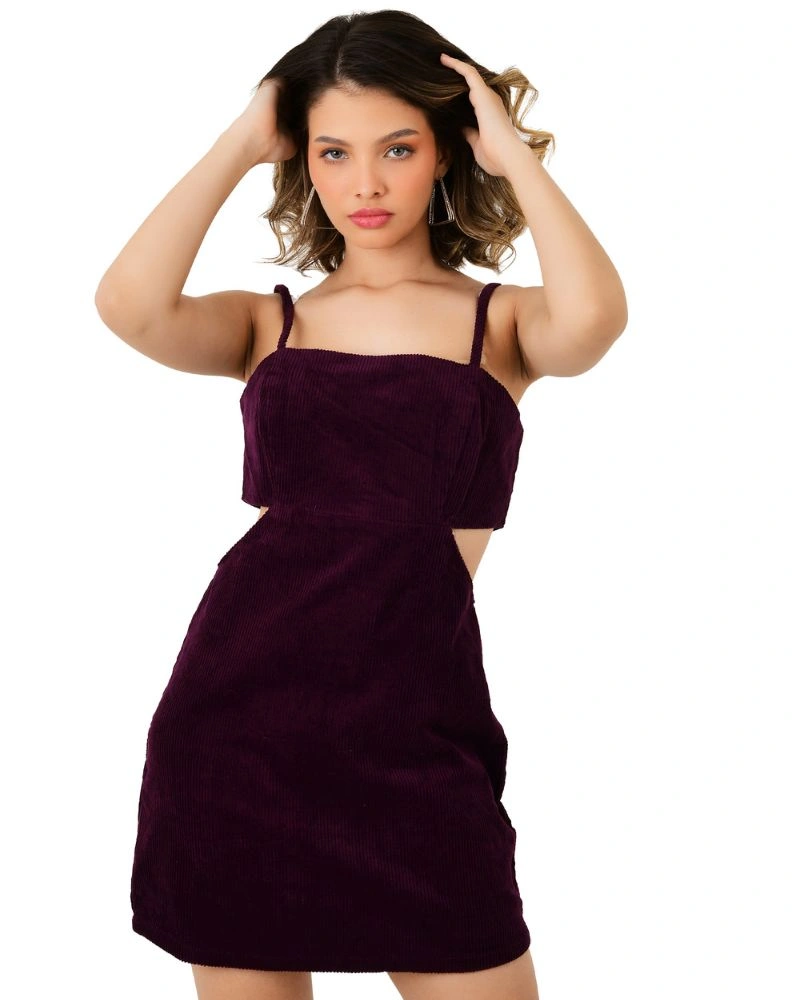




A product image has one job most sellers underestimate: it has to replace touch, scale, and context all at once, for a buyer who will never hold the item before paying for it. Get that job right, and the image builds enough confidence to convert. Get it wrong, and the cost shows up twice — once as a lost sale, and again later as a return.
The data backs this up more directly than most sellers assume. Recent consumer research from Salsify found that a large majority of shoppers — 77% — consider high-quality images and video directly important to their purchase decision, and a separate MDG Advertising study found 63% of shoppers rank image quality above written product information or customer ratings. On the returns side, industry return-tracking from NRF and Happy Returns puts the 2024 online return rate at nearly 17% of total retail sales, with Salsify separately reporting that 71% of shoppers who returned an item said the product simply didn't match what the listing showed them.
Put together, that's not a cosmetic problem. It's a revenue and cost problem that traces back to a fairly small number of controllable decisions: lighting, background, composition, colour accuracy, technical specification, and consistency. This guide walks through each one — not as a list of generic "tips," but as a working framework you can apply to any product category, whether you're shooting apparel, jewellery, electronics, or home goods.
Why Image Quality Is a Business Decision, Not Just a Creative One
Before getting into technique, it's worth being precise about what "high quality" actually means in an ecommerce context, because it's not the same standard as art or editorial photography.
A high-quality ecommerce product image is one that:
- Accurately represents colour, scale, and texture, so the buyer's expectation matches what arrives
- Answers the specific unknowns a buyer has about that category (fit for clothing, clarity and cut for jewellery, ports and dimensions for electronics)
- Meets the technical bar (resolution, file size, aspect ratio) required by the platform it's published on
- Looks consistent with the rest of the catalogue, so the brand reads as established rather than assembled ad hoc
Every one of the sections below maps to one of these four requirements. Skipping any of them doesn't just make the photo look average — it introduces a specific, measurable business cost, whether that's a lower click-through rate, a higher return rate, or a marketplace listing rejection.
The Core Elements of a High-Quality Product Image
1. Lighting
Lighting is the single largest factor in whether a product photo reads as professional or amateur, because it determines whether texture, colour, and shape are captured accurately or flattened out.
Two broad approaches dominate ecommerce photography: soft, diffused lighting (via softboxes or diffusion panels) that minimises harsh shadows and is the standard for most catalogue and marketplace work, and directional lighting, which deliberately introduces shadow and depth to reveal texture — more useful for fabric, leather, or textured surfaces than for a clean white-background hero shot. Natural window light can work for small operations starting, but it's inconsistent by time of day and weather, which becomes a real problem the moment you need to match lighting across a 50-product shoot spread over several days. A controlled studio setup solves that consistency problem at the source.
2. Background and Composition
Most marketplaces require a plain white or light-grey background for the primary listing image, both for platform compliance and because a clean background keeps visual attention on the product rather than the surroundings. Composition research on product photography backgrounds has found that shoppers respond better to simple, uncluttered compositions where the product is centred and the background doesn't compete for attention — which is exactly why a busy or overly styled background on a primary image tends to underperform a clean one, even when it looks more "creative."
Secondary and lifestyle images are where styled backgrounds and context belong — showing the product in use, styled with complementary items, or set in an environment that helps the buyer picture ownership. The mistake is using a styled or busy composition for the primary hero image, where compliance and clarity matter more than atmosphere.
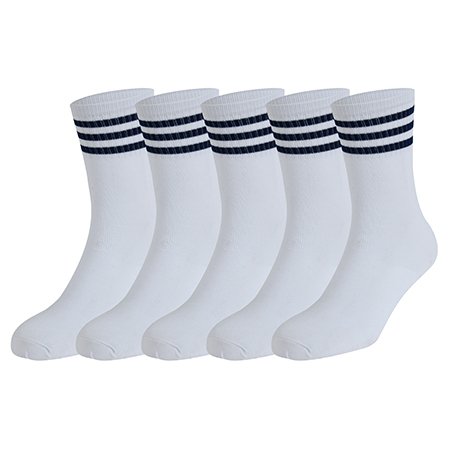
Amazon Product Photography in Delhi
Sanjay Babu Lohar, founder of Lohar Studio Delhi, has been photographing products for Amazon sellers since 2009 — over 15 ye...
Explore Amazon Product Photography in Delhi3. Camera Equipment and Settings
A DSLR or mirrorless camera with full manual control is the standard for professional product photography, because manual exposure control is what allows consistent results across dozens or hundreds of products shot over multiple sessions — auto modes reintroduce the same day-to-day inconsistency that inconsistent lighting causes. A low ISO setting (typically 100–200) keeps images clean and detail-rich; higher ISOs introduce visible grain that becomes obvious the moment a buyer zooms in.
Lens choice matters more than most sellers expect: a macro lens is close to essential for texture, jewellery, or fine-detail work, since it's the only practical way to capture stitching, weave, or gemstone detail sharply at close range.
4. Colour Accuracy
Colour accuracy deserves its own line item because it's the single most preventable driver of "not as pictured" returns, and it's a calibration issue rather than a talent issue. A garment or product photographed under uncorrected warm or cool lighting will shift colour on screen in ways no amount of post-production can fully reverse, because the sensor never captured accurate colour data to begin with. Correct white balance at the point of the shoot — ideally checked against a colour reference card — is the fix, and it has to happen during the shoot, not after.
5. Post-Production and Retouching
Editing has a legitimate, necessary role: colour correction against a calibrated reference, background cleanup, consistent cropping, and removing genuine imperfections like dust or lint. It has an illegitimate role too — retouching that misrepresents the actual product, which is exactly the practice that drives the "didn't match the photo" return category. The line is simple: editing should make the photo a more accurate representation of the real product, never a less accurate one.
Technical Specifications That Impact Conversion and SEO
This is the section most product photography guides skip entirely, and it's where a genuinely good photo can still underperform because of a specification mismatch.
1. Resolution and Zoom Capability
High resolution isn't just an aesthetic nicety — it directly enables zoom functionality, and zoom is one of the more consistently cited features behind higher cart-addition rates on product pages. A photo shot and exported at too low a resolution can't be zoomed without visible pixelation, which quietly undoes one of the more effective on-page conversion tools available.
2. File Format and Compression
JPEG remains the standard format for photographic product images because it balances quality and file size well; PNG is generally reserved for graphics or images requiring transparency, not photographic product shots. Increasingly, WebP is worth using where your platform supports it, since it compresses more efficiently than JPEG at a comparable visual quality — which matters directly for page load speed, and page load speed is both a conversion factor and a ranking factor. With mobile devices accounting for the majority of ecommerce traffic, an unoptimised, oversized image file is a mobile page-speed problem before it's anything else.
3. Image Dimensions Across Marketplaces and Your Own Store
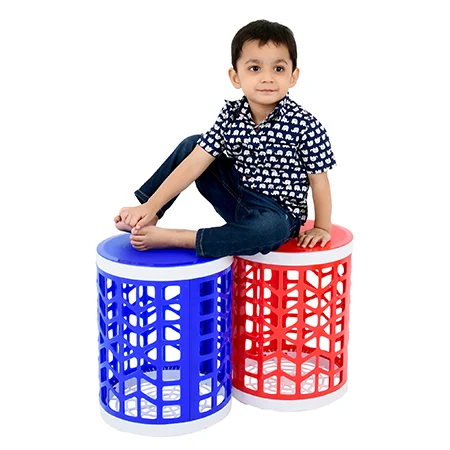
Flipkart Photography in Delhi
Sanjay Babu Lohar, founder of Lohar Studio Delhi, has been creating product images for e-commerce sellers since 2009 — over...
Explore Flipkart Photography in DelhiEvery platform specifies its own minimum resolution, aspect ratio, and file size limits, and these are not interchangeable — an image sized correctly for your Shopify store may fail Amazon's zoom-eligibility threshold, or get auto-cropped awkwardly on a marketplace with a different aspect ratio requirement. The practical fix is exporting each shoot in the specific dimensions each destination requires, rather than uploading one universal size everywhere and hoping it displays correctly.
4. Alt Text and File Naming for SEO
Descriptive, keyword-relevant alt text and file names (rather than default camera-generated filenames like IMG_2481.jpg) help image search visibility and accessibility. This is a small, easy-to-skip step that compounds across a catalogue of hundreds of SKUs — worth building into your upload workflow as a standard step, not an afterthought.
Building a Consistent Product Photography Workflow
1. Standardising Your Shoot Brief
A shoot brief that fixes background, lighting setup, crop ratio, and shot coverage before the shoot begins is what prevents a catalogue from drifting into visible inconsistency between batches — one of the more common, and more damaging, quality issues in growing catalogues, because it undermines buyer trust even when each image is technically fine.
2. DIY vs Professional: When Each Makes Sense
DIY setups (a lightbox, natural window light, a smartphone) can produce acceptable results for a small catalogue or early-stage testing, and there's no reason to over-invest before validating demand. The calculus shifts once a catalogue grows past a couple dozen SKUs, needs consistent studio lighting across categories, or is selling in categories — apparel, jewellery, anything texture- or colour-sensitive — where the gap between DIY and professional results has a measurable effect on conversion and returns.
3. Marketplace-Specific Requirements to Check Before You Shoot
Amazon, Myntra, Flipkart, and other marketplaces each publish specific image requirements — background, resolution floor, and in some categories, mandatory shot types. Checking these before a shoot, not after, avoids the far more expensive problem of reshooting a batch that gets rejected or buried in search for non-compliance.
Category-Specific Considerations
The principles above are universal, but the priority order shifts by category.
1. Clothing and Apparel
Fabric texture, drape, fit, and colour accuracy carry outsized weight in this category, since they're the primary drivers of apparel's higher-than-average return rate. We've covered this in more depth separately, including the specific signs of underperforming clothing images and the exact shot list each garment type needs. Visit for clothing photoshoot services.
Myntra Product Photography in Delhi
Sanjay Babu Lohar, founder of Lohar Studio Delhi, has been photographing products for e-commerce sellers since 2009 — over 1...
Explore Myntra Product Photography in Delhi2. Jewellery
Macro detail, controlled reflective lighting, and colour accuracy for metal and stone tone matter more here than in almost any other category, since buyers are evaluating fine detail at a scale no other product type demands. Visit for jewellery photography services.
3. Other Product Categories
Electronics and home goods lean more heavily on scale reference and functional detail shots (ports, dimensions, materials), while categories with strong lifestyle appeal benefit disproportionately from in-context secondary images alongside the compliant primary shot.
Common Mistakes That Undermine Image Quality
- Relying on a single front-facing image and treating additional angles as optional
- Editing colour after a poorly calibrated shoot instead of fixing white balance at the point of capture
- Uploading one universal image size across every platform instead of exporting per platform's actual requirements
- Letting lighting and background setup drift between shoot batches
- Prioritising a styled, busy background on the primary listing image over a clean, compliant one
How Lohar Studio Approaches This
At Lohar Studio, image quality is treated as a specification, not a subjective judgment call — colour calibration, lighting setup, and shot coverage are all fixed at the planning stage before a shoot begins, and export settings are matched to each platform a client actually sells on, so a single shoot doesn't need to be redone or manually resized for every destination afterward.
FAQs
1. What's the single biggest factor in ecommerce product image quality?
Lighting, because it determines whether colour, texture, and shape are captured accurately in the first place — no amount of editing fully compensates for a poorly lit original shot.
2. Is a white background always required?
Most marketplaces require or strongly prefer a white or light-grey background for the primary image specifically, for both compliance and clarity reasons. Styled or contextual backgrounds are appropriate for secondary and lifestyle images, not the main listing shot.
3. How important is image resolution really?
Advertising & Creative Product Photography
At Lohar Studio, we create advertising product photography specifically designed to earn that second look. Sanjay Babu Lohar, with...
Explore Advertising & Creative Product PhotographyVery — low resolution directly limits zoom functionality, which is one of the more consistently cited features behind higher cart-addition and conversion rates on product pages.
4. Should I use JPEG, PNG, or WebP for product images?
JPEG is the standard for photographic product shots. PNG is best reserved for graphics or transparency needs. WebP is worth adopting where your platform supports it, since it compresses more efficiently than JPEG without a visible quality loss, which helps page speed.
5. Can I fix bad lighting or colour in post-production?
Partially, but not fully. Editing can correct a colour that's close to accurate; it can't reconstruct colour information that a poorly calibrated shoot never captured. Getting white balance right during the shoot always outperforms trying to fix it afterward.
6. Do I need different image sizes for different marketplaces?
Yes. Each platform specifies its own resolution, aspect ratio, and file size requirements, and a single universal export often fails one platform's specific threshold even when it looks fine on another.
7. Is DIY product photography ever good enough?
For a small catalogue or early testing, yes. As catalogue size grows, or for categories where texture and colour accuracy strongly affect returns (apparel, jewellery), the gap between DIY and professional results becomes a measurable cost, not just an aesthetic preference.
8. How many product images does a single listing need?
There's no universal number, but relying on a single image is the most common underperformance pattern. Coverage should answer the genuine unknowns a buyer has about that specific product — which varies by category.
9. Does alt text on product images actually matter for SEO?
Yes, descriptive alt text and meaningful file names support image search visibility and accessibility, and this compounds across a large catalogue even though it's a small step per image.
10. What's the most common mistake sellers make with product images?
Treating image specifications as an afterthought — uploading whatever size and format was easiest, rather than checking what each platform actually requires, and only discovering the mismatch after a listing underperforms or gets rejected.
If you're looking to enhance your brand’s presence on leading e-commerce platforms like Amazon, Flipkart, Myntra, Meesho, TataCliQ, Snapdeal, and Ajio, Lohar Studio is your go-to destination. Our team specializes in delivering high-quality images for fashion items, footwear, automotive products, medical photography, business headshots, and corporate shoots. We serve Delhi, Noida, Gurgaon, Faridabad, and Ghaziabad, offering professional results that boost conversions and elevate your brand’s image. Get in touch today at +91 9312070458 or visit us at A1/58, 1st Floor, Sector 6 Rd, Pocket 1, Sector 6A, Rohini, Delhi, 110085, to schedule your next shoot!

Written from hands-on experience shooting for 4000+ brands - practical, field-tested photography advice, not just theory.